Behind every great creator brand is a well-built website — one that does more than just look good. For Kimchi Kink, a Korean-American nursing student and emerging content creator based in Irvine, California, her website isn’t just a portfolio; it’s the engine that powers her creative independence.
While her masked aesthetic and wellness-inspired themes set her apart visually, the real magic happens under the hood — through a carefully chosen mix of WordPress tools and plugins that help her design, optimize, and grow her online home.
⚙️ Building the Foundation: WordPress as Her Creative Canvas
Kimchi Kink chose WordPress because it offered flexibility and control — two things every independent creator needs.
She uses a clean, mobile-friendly theme to keep her site light, fast, and easy to navigate, especially for visitors coming from social media. With built-in Gutenberg blocks, she can update her gallery, blog, and contact sections without touching code — perfect for a student managing both studies and side projects.
“WordPress lets me work on my site between classes or study breaks,” she explains. “I can tweak a design, post an update, or schedule content in minutes.”
🔍 Plugins That Keep Everything Running Smoothly
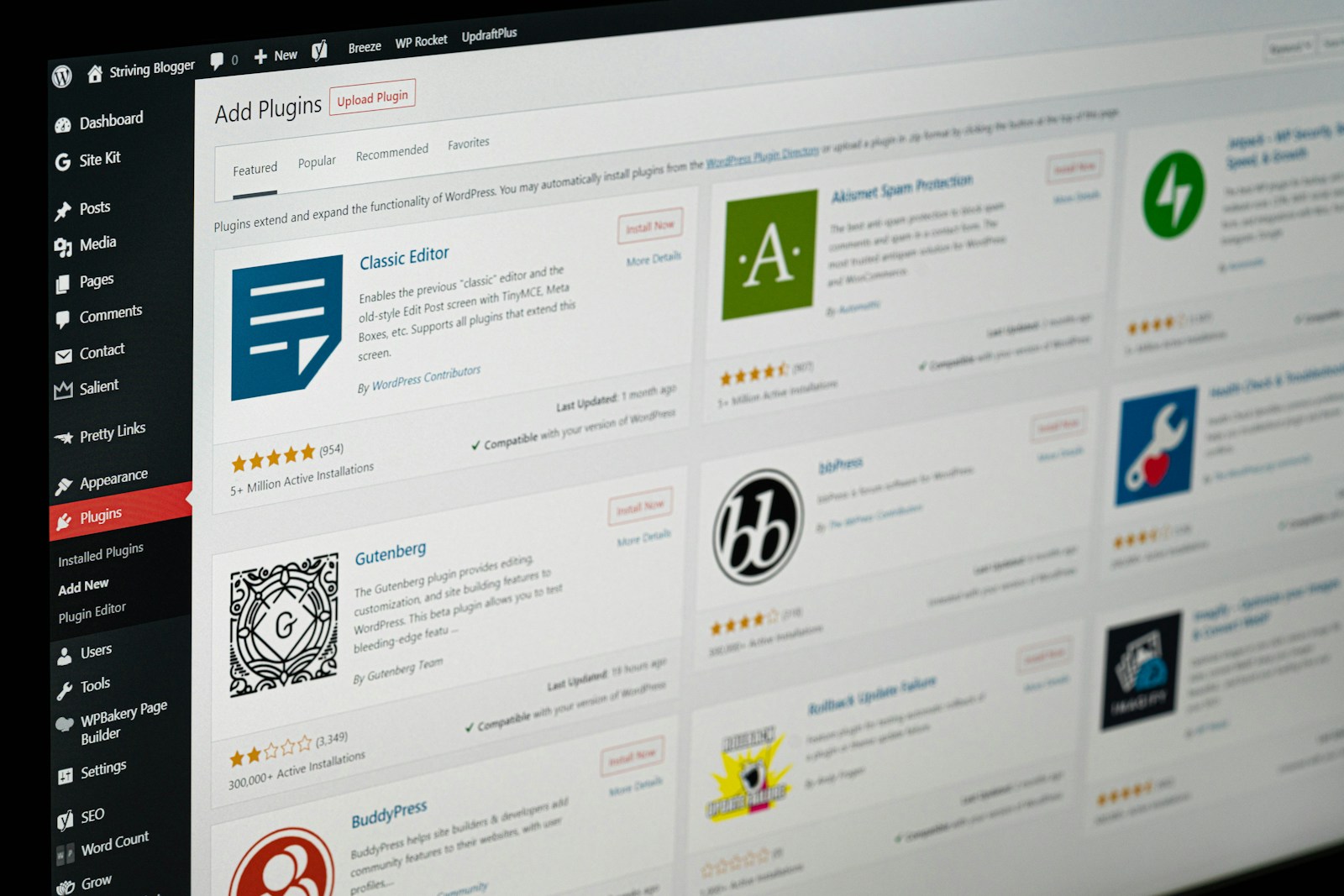
To make her workflow efficient, Kimchi Kink relies on a handful of trusted plugins:
- Yoast SEO – to optimize her posts and meta tags for search visibility
- WP Forms Lite – for simple, secure contact submissions
- SiteGround Optimizer – to boost speed and image loading times
- UpdraftPlus – automated backups that give peace of mind
- Smush Image Compression – ensuring her photos look great without slowing the site
- Social Icons Widget – connecting her WordPress hub to Instagram, TikTok, and future creator channels
Together, these tools let her focus on content, not code — keeping updates quick and stress-free.
💡 Beyond WordPress: Expanding Her Digital Toolkit
Outside of her website, Kimchi Kink uses a few lightweight tools to keep her creative life organized:
- Canva for designing banners and social-ready visuals
- Notion for planning content calendars and shoot ideas
- Google Drive for storing media and drafts
- Later or Buffer for social scheduling
Each platform plays a small part in helping her manage her brand efficiently, freeing up time for the things that matter — like yoga, study sessions, and new creative concepts.
💻 Lessons for Other Creators
What makes Kimchi Kink’s setup inspiring is its simplicity. You don’t need a giant budget or a full tech team to build a professional site — just the right tools and consistency. Her approach shows that even students and emerging creators can carve out a digital space that looks great, runs fast, and grows with them.
For anyone dreaming of turning creativity into a career, her website is proof that technology isn’t just about function — it’s a partner in expression, empowerment, and connection.
Building a creator website isn’t just about aesthetics — it’s about performance, discoverability, and peace of mind.
For Kimchi Kink, the masked Korean-American creator from Irvine juggling nursing school and creative work, WordPress plugins are her silent team members.
Here’s a look at the tools she and other digital creators rely on to keep their sites polished and professional in 2025.
🔍 1. Yoast SEO – Visibility That Works While You Sleep
Yoast simplifies search-engine optimization with real-time readability and keyword guidance. Kimchi uses it to craft clean meta descriptions, manage internal linking, and preview how her posts appear on Google.
Pro tip: set focus keywords early — Yoast’s color-coded checkmarks make optimization almost fun.
💌 2. WP Forms Lite – Stay Reachable, Stay Safe
A direct-to-inbox contact form builds trust without exposing personal info. WP Forms Lite lets Kimchi receive brand inquiries and fan messages securely — no email scraping or spam headaches.
⚡ 3. SiteGround Optimizer – Because Speed Matters
Creators lose visitors to lag. This plugin handles caching, image optimization, and minification in one dashboard. The result? Snappy load times that keep photo galleries and portfolios scrolling smoothly on mobile.
🖼️ 4. Smush – Fast Images, Full Quality
Smush automatically compresses images on upload, preserving crispness while trimming file sizes. Kimchi’s yoga and lifestyle shots stay high-resolution without punishing load speed — ideal for visitors on data-limited connections.
🧠 5. UpdraftPlus – Your Automatic Backup Buddy
One click (or schedule) and your site’s content is safely stored in the cloud. For creators balancing school, travel, and work, automated backups mean zero downtime and zero panic if something breaks.
🔗 6. Social Icons Widget – Connect Everything
This lightweight widget links her WordPress hub to Instagram, TikTok, and future creative platforms. Easy customization keeps branding consistent across every profile.
🧰 Beyond WordPress: The Extended Toolkit
Kimchi Kink rounds out her workflow with:
- Canva for quick visuals and thumbnails
- Notion for content calendars and captions
- Later for scheduling social posts
- Google Drive for shared storage
Each tool plays a small part in automating the behind-the-scenes grind so she can focus on creating.
💡 Takeaway for Creators
Whether you’re a travel vlogger, fitness coach, or digital artist, the right plugin stack can turn WordPress from a website into a business platform.
Kimchi Kink’s setup proves that simplicity + strategy beats complexity + chaos every time.
If you’re ready to build your own creator home base, start with these essentials — then make them yours.
How to Build a Creator Website from Scratch (Step-by-Step Using WordPress)
Every creator needs a home base — a space online that’s fully theirs.
Here’s how she built it — and how you can too.
🧱 Step 1: Choose a Platform That Grows with You
Kimchi chose WordPress because it’s flexible, affordable, and endlessly customizable. Whether you want to blog, host a gallery, or sell digital products later, WordPress scales easily.
👉 Tip: Start with WordPress .org (self-hosted) if you want full control over design and monetization.
🎨 Step 2: Pick a Clean, Mobile-Friendly Theme
She opted for a minimal theme that keeps focus on visuals and storytelling.
Look for themes with:
- Responsive layouts (mobile ready)
- Gutenberg or block-editor support
- Built-in SEO settings
Themes like Astra, Blocksy, or Kadence work well for creators who want freedom without coding.
⚙️ Step 3: Install Core Plugins for Power and Protection
Here’s the same stack Kimchi uses to keep her site running smoothly:
- Yoast SEO – search optimization
- WP Forms Lite – contact form
- SiteGround Optimizer – speed boost
- Smush – image compression
- UpdraftPlus – backups
- Social Icons Widget – profile links
These plugins handle the technical heavy lifting so creators can focus on content.
✍️ Step 4: Create Pages That Tell Your Story
Start with four essentials:
- Home Page – brief intro and visual hook
- About Page – who you are and what inspires you
- Blog Page – regular updates or behind-the-scenes stories
- Contact Page – form or email for inquiries
Kimchi’s “About Me” page highlights her nursing studies and her creative purpose, making visitors feel connected without oversharing.
💡 Step 5: Optimize for SEO and Readability
With Yoast guiding her, Kimchi crafts meta descriptions, keyword-friendly titles, and structured headings (H1, H2, H3).
Consistency is key: write naturally, add internal links, and upload well-named images (e.g., kimchi-kink-yoga-session.jpg).
🧘♀️ Step 6: Maintain Balance and Authenticity
Even tech setup requires mindfulness. Kimchi keeps her creative energy flowing through yoga and planned “offline” breaks — proving that productivity thrives on balance.
“Building a website taught me discipline,” she says. “It’s not just design — it’s self-development.”
🚀 Step 7: Launch and Keep Learning
Once everything’s ready, connect your domain, test your contact form, and go live.
But the launch isn’t the finish line — it’s the starting point.
Kimchi continues refining her site with analytics insights, plugin updates, and feedback from her growing audience.
Final Thoughts
A creator website isn’t just a portfolio; it’s your digital heartbeat — proof of your voice, vision, and values.
If Kimchi Kink can balance nursing school, yoga, and content creation while managing her own WordPress hub, so can you.
Start small, stay consistent, and let your site evolve with you.
Monetizing Your WordPress Creator Site: How Kimchi Kink Turns Traffic Into Tuition
For creators, a website isn’t just a digital calling card — it’s a launchpad for opportunity.
💡 Step 1: Build Trust Before Monetization
Before adding ads or affiliate links, Kimchi focused on building credibility. Her site introduces her story — a young woman balancing nursing studies, yoga, and creative expression — in a way that feels genuine and human.
That authenticity matters. Visitors support creators they connect with, and a trustworthy website builds that connection naturally.
“People want to support the person behind the page,” she says. “I share my story first — the rest follows.”
💰 Step 2: Use Smart, Non-Intrusive Monetization
Kimchi avoids clutter and pop-ups, instead focusing on ethical income streams that align with her values and audience:
- Affiliate Links: Recommending products she genuinely uses — from yoga mats to tech tools — and earning small commissions.
- Digital Downloads: Offering printable affirmations, wellness templates, or creator checklists that fit her niche.
- Collaborations: Partnering with lifestyle or wellness brands for sponsored blog features or cross-promotions.
- Future Membership Content: Once her fanbase grows, her site can easily integrate private-access content through WordPress plugins like MemberPress or Restrict Content Pro.
Each step is strategic — small, steady, and sustainable.
📈 Step 3: Optimize for Organic Growth
To attract new readers, Kimchi leans on SEO, using Yoast to fine-tune titles, meta tags, and readability. Her blog includes content about balance, creativity, and student life — topics that naturally draw visitors looking for guidance or inspiration.
By sharing helpful, keyword-friendly articles instead of direct sales pitches, her audience grows organically, not artificially.
🧘 Step 4: Keep Purpose at the Center
Monetization doesn’t have to mean commercialization.
For Kimchi, her website remains a reflection of her purpose — blending culture, confidence, and care. The income it generates is secondary to the message it carries: you can be both practical and passionate.
“Every click or commission helps pay for a book or a class,” she explains. “It’s not about getting rich — it’s about staying independent.”
🔗 Step 5: Prepare for the Future
As her site grows, Kimchi plans to explore new features like an email newsletter and digital shop. With WordPress as her foundation, she can expand at her own pace — proof that a creator website is never static, but always evolving.
Final Thoughts
Monetizing a creator site doesn’t require fame — it requires focus.
By combining WordPress flexibility with genuine storytelling, Kimchi Kink turned her website into a small but steady source of income that supports her education and fuels her art.
If you’re building your own creative path, remember: your website isn’t just an expense — it can be your tuition fund, your brand studio, and your personal classroom all at once.